
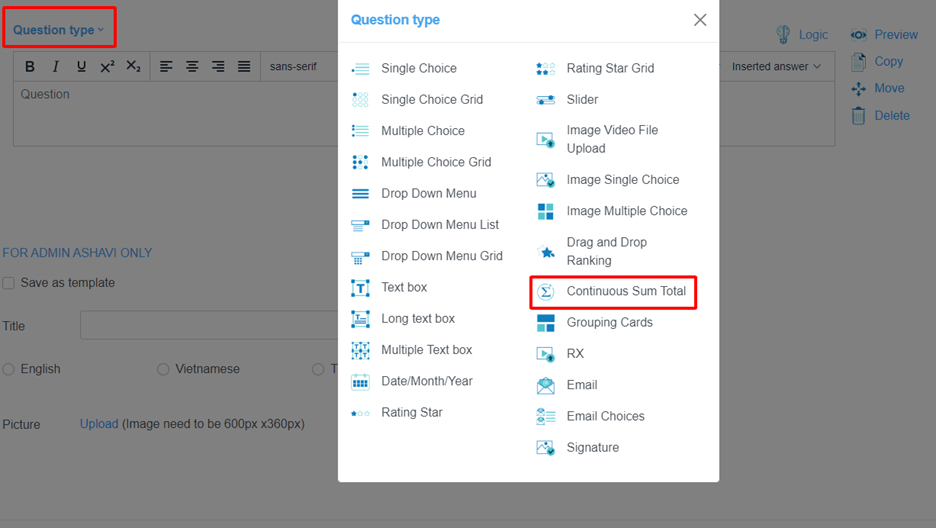
Instruction Built question Continuous Sum Total
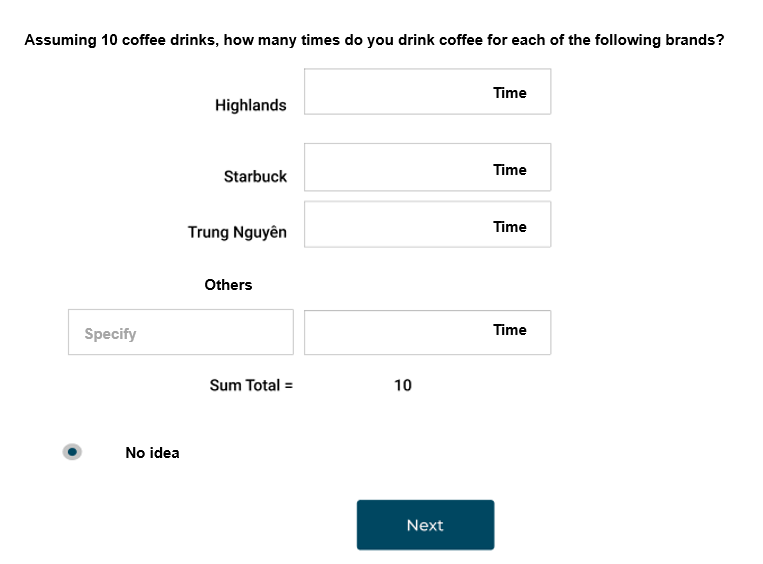
“Continuous Sum Total” is a summing question that allows respondents to score their options or answers with a pre-defined sum by the survey creator. This type of question asks the surveyor to assign a certain weight to the answer option.
Example:
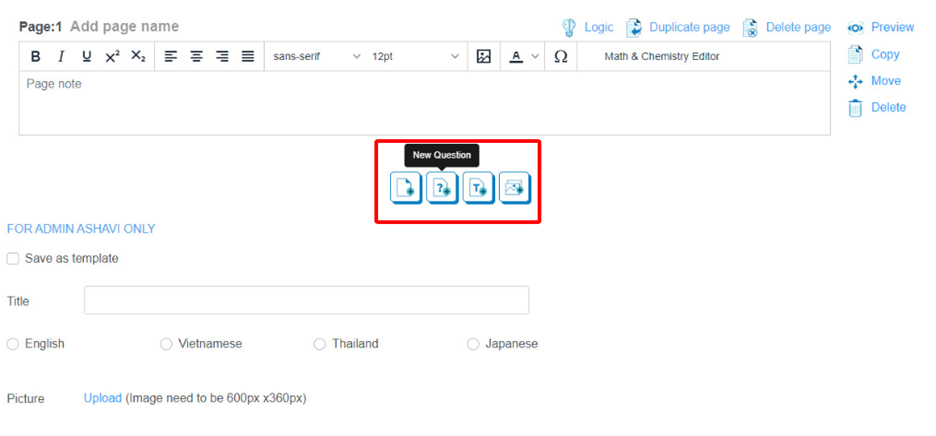
Step 1: Add a Continuous Sum Total question
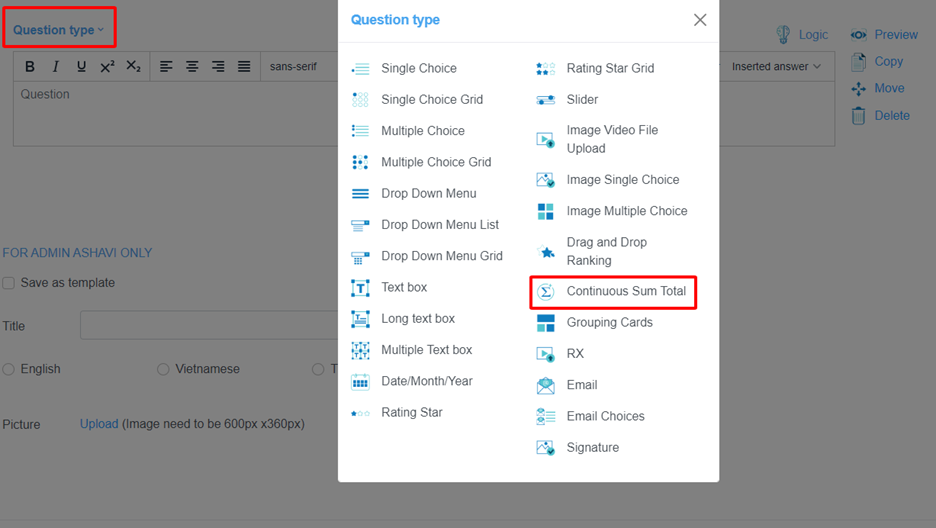
Step 2: Select question Type
Click the button “Question Type” and select “Continuous Sum Total”
Step 3: Add question and setting
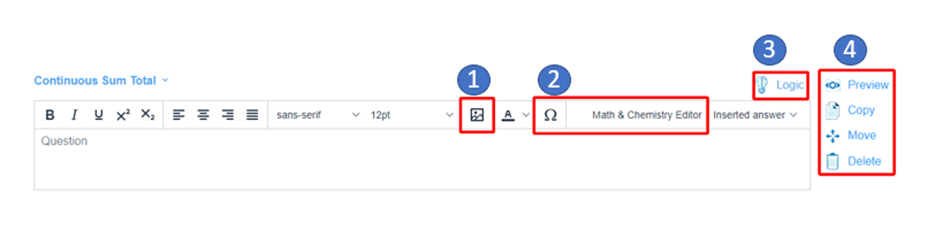
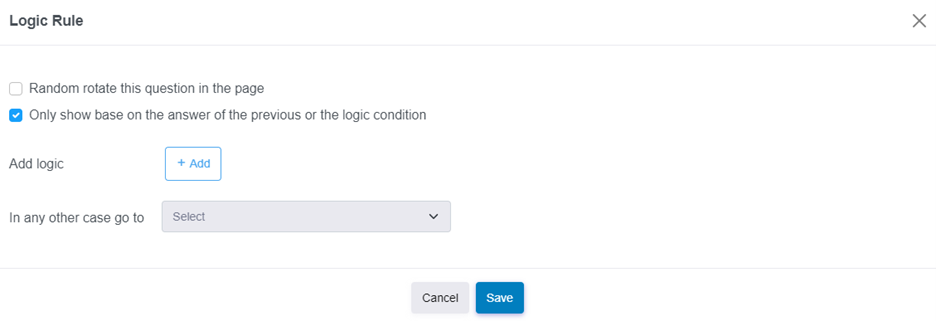
(*) The question logic can set rotate the question or the logic follow of the previous answer by using conditions.
Step 4: Add options to question
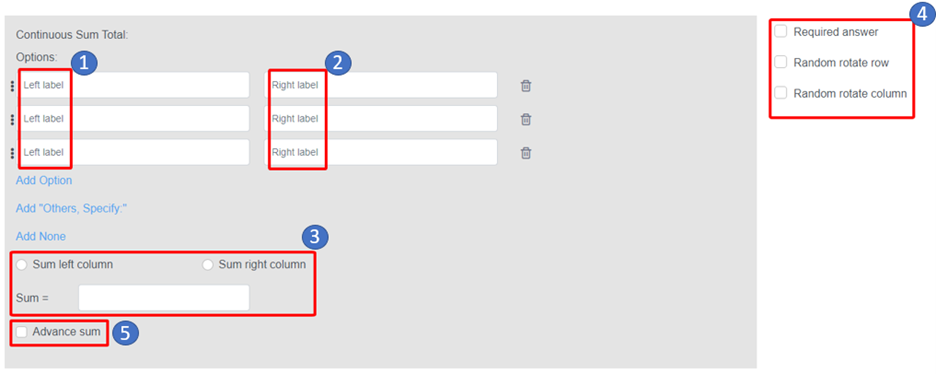
(**) Click “Advanced Sum” Button to set condition for total value
The sum can be equal to the value of one question or many questions

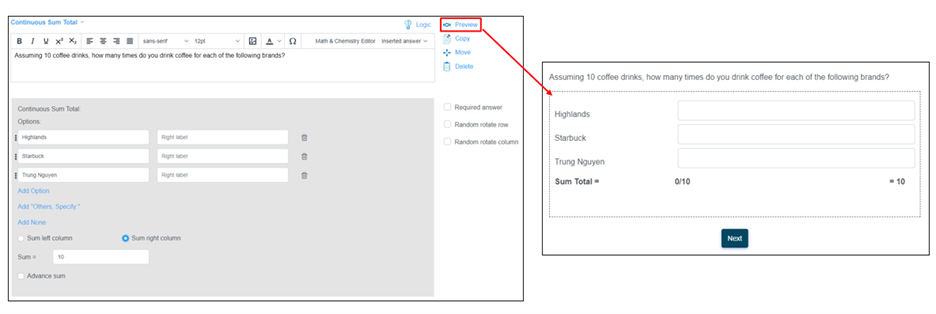
Step 5: Preview question
---------------------------
ASHAVI – Boost Business By Insights and Technologies